How I Built an AI-Powered Second Brain with Obsidian and Claude Code
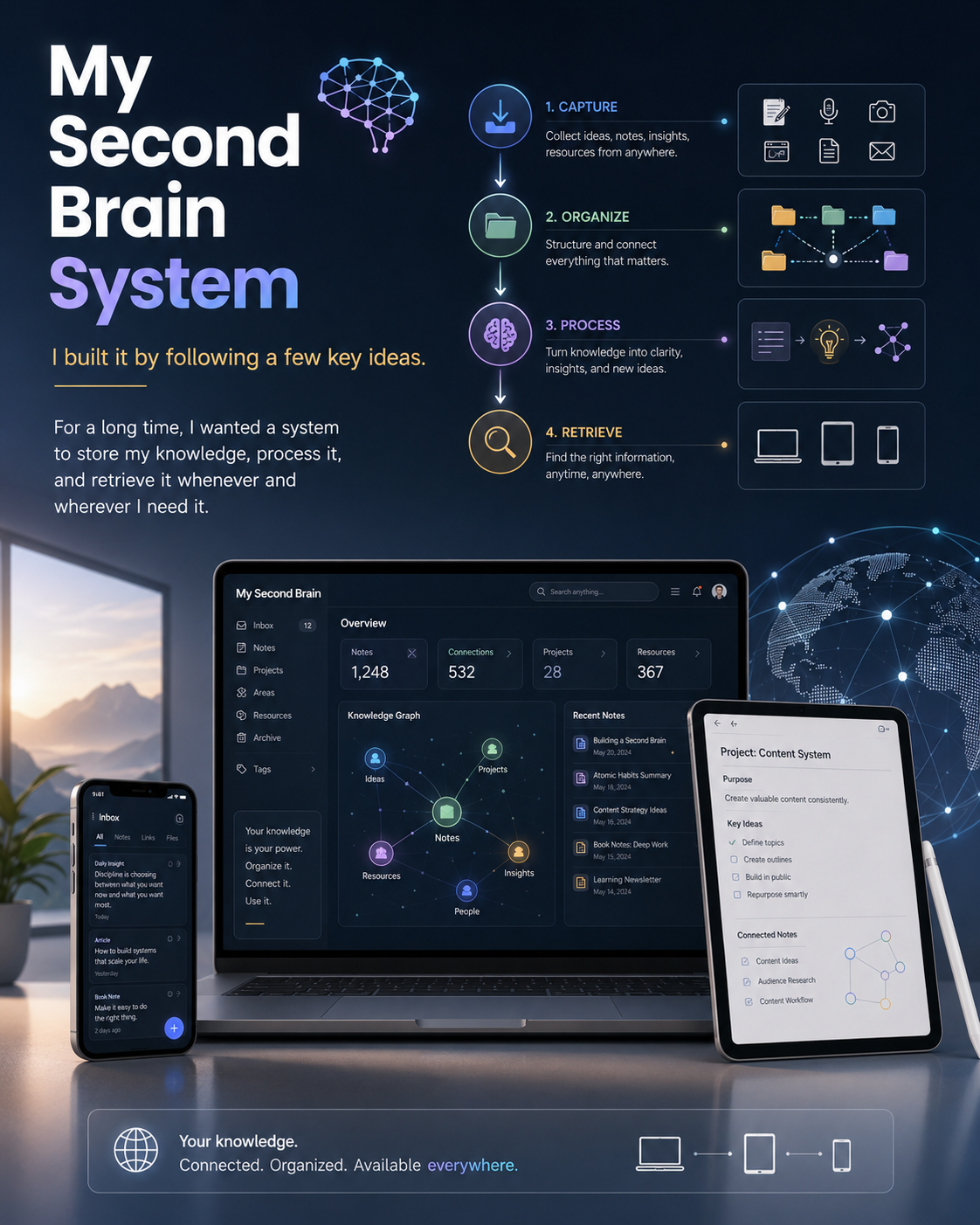
How I Built an AI-Powered Second Brain with Obsidian and Claude Code
It's been quite a while I wanted to build a system to store my knowledge base, process it, and retrieve it whenever I need it from wherever I am.
Have you ever felt overwhelmed by the sheer amount of things to remember, with something new popping up every single day? I sure have — for quite a long time, actually. So, at the beginning of last year, I decided to build something that could keep my notes, audio, and much more well ordered, summarized, and organized. Ideally, I wanted to just whisper to my phone, and have it organize my life, retrieve memories that my small, shrinking brain couldn’t hold onto, and help me become more efficient.
I dove right in. Thanks to my 20 years of coding experience and the vibe coding skills I’ve honed, I managed to build a very complex web app. But it quickly became unmanageable, with convoluted agentic pipelines. It was almost competing with big tech companies who do this professionally. Realizing it was too much, I shut it down and started thinking about a simpler approach.
I had spent almost four hours a week for six months building that app. It wasn’t for nothing — I learned a ton about techniques, integration patterns, and why startup ideas often fail early on. So even though I had to pull the plug, my time was well invested. After that, I took a break and focused on other projects. But honestly, I can’t stop my brain from thinking and building — and I know I’m not alone in this funny predicament... lol!
A couple of months later, I circled back to my second brain system. This time, I wanted something new: easily maintainable, idempotent, transferable, multi-device ready, and simple enough that even my kids could use it without steep learning curves.
A couple of steps back, three years ago or so, I heard from NetworkChuck (I'm a fan of this guy since he started back in 2015 or a couple of years later, something like that) about Obsidian, an open-source note taker which exists for both desktops and mobiles. I started using it and I fell in love with its easy approach to note taking, and it's all Markdown based, perfect!
Then I thought, well, I have Obsidian Vaults already so I may reuse what I already have and build something around it. I also know how to use Claude CLI and automate stuff, I have already code I developed for STT and TTS, I have developed code to transcribe YouTube videos, and more, so perhaps I could integrate all these skills and features into one simple app.
Cool, I knew what to do. Googling a bit around I also found out that Andrej Karpathy published a similar approach on X, in April this year 2026, explaining how he would have approached a similar idea, using Obsidian and some plugins such as Web Clipping to snap content from web browsers and store them as notes into Obsidian.
I thought literally "Karpathy independently described a very similar approach, which validated many of the architectural decisions I had already made" (This guy should be an example to next generations, how to build oneself into 10 years of study and research, with continuous learning from people better than us until we get better than our own masters.)
So, while I was building the structure and it started taking shape and working quite seamlessly, I found out another project came out with a similar approach, just this month! Argh!!! It's impossible nowadays to be on top of everything, the world seems spinning faster with AI generating ideas, code, and many more things at all levels.
Anyhow, I built this system based on Obsidian, Claude Code CLI (but you can use Antigravity UI or any other coding agentic system you like the most) and my own library system made of scripts/plugins that Claude Code can use when required. Some examples of plugins can be transcription of YouTube videos, transcription of my own audio files I may have uploaded into Obsidian vault, a mediaCTL CLI I've built to scrape my own media server which indexes all my 2TB of video, photo, documents and other audios into a knowledge base that now Claude Code can use to search and correlate notes with existing knowledge.
Tech Stack
- Obsidian Vault
- Claude Code CLI
- Python scripts (Whisper/STT, and more)
- Shell scripts (for media searches)
- Markdown notes
- Obsidian Web clipping plugin
- Mardown Maps of Contents (MOCs)
No need to create any embeddings, no need to build any data in-source pipelines or complex stuff. This whole system could live on the desktop and the output, Map of Contents and generated Notes and Tasks can be synchronized with my mobile Obsidian version and vice versa.
Ok, let's unpack this, step by step.
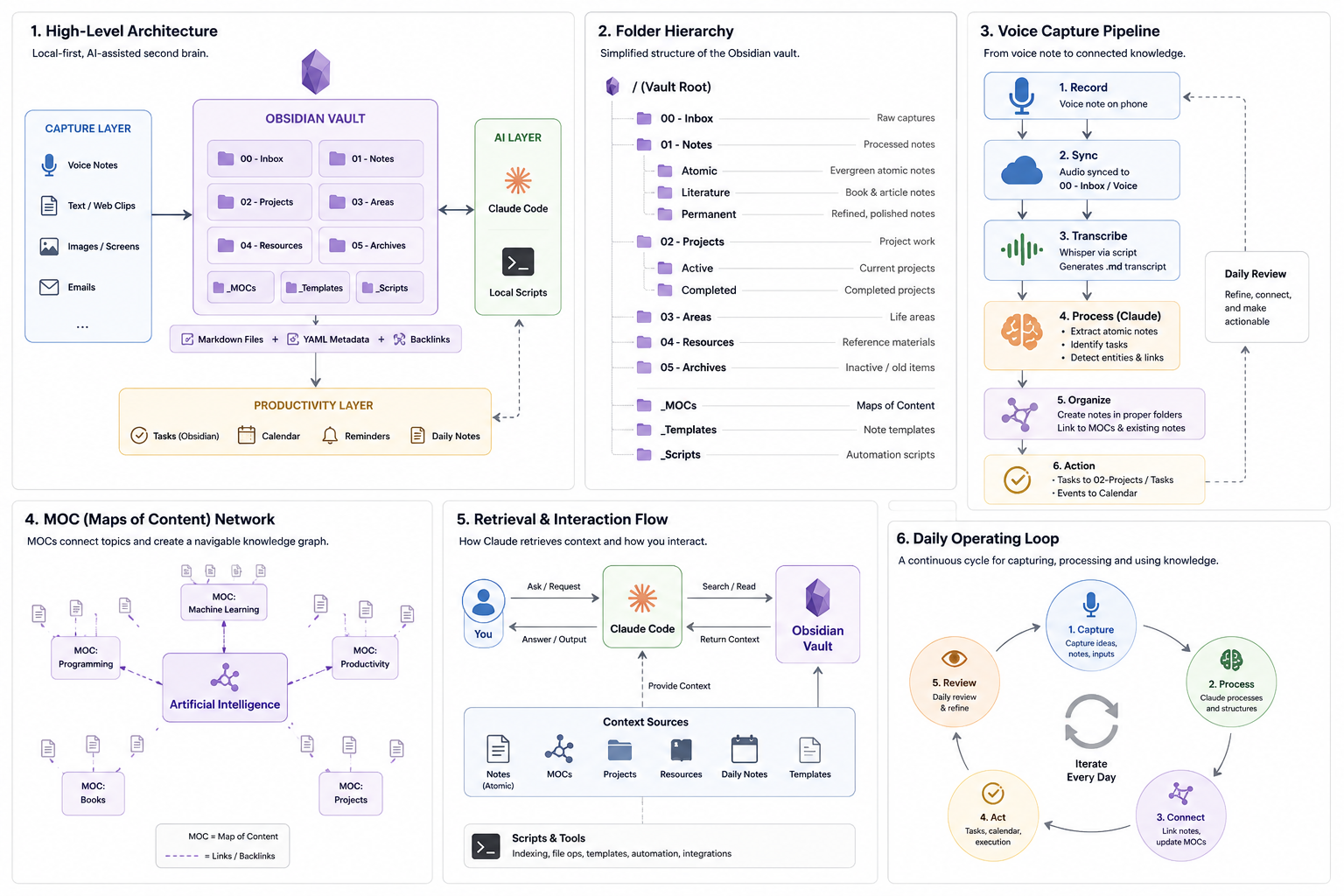
I created a structured Vault in Obsidian, basically a few folders to structure my knowledge base, with Raw input, Notes, Tasks, and MOCs (Maps of Contents). One more folder just accessible to Claude Code called System where I have python or shell scripts that Claude can use when asked or when he needs any.
In the SecondBrain root folder I created a CLAUDE.md file with the whole set of instructions for Claude so that it can understand what this package is and what tools are available. I basically tried to reuse my other project I haven't yet talked you about which is Spec-driven development which is based on organizing skills, agents and instructions for a proper Vibe coding experience with Claude Code and that can be found here. So I have partially reused that system, with Caveman being the most important skill to ensure token consumption is kept at its minimum thanks to this wonderful skill.
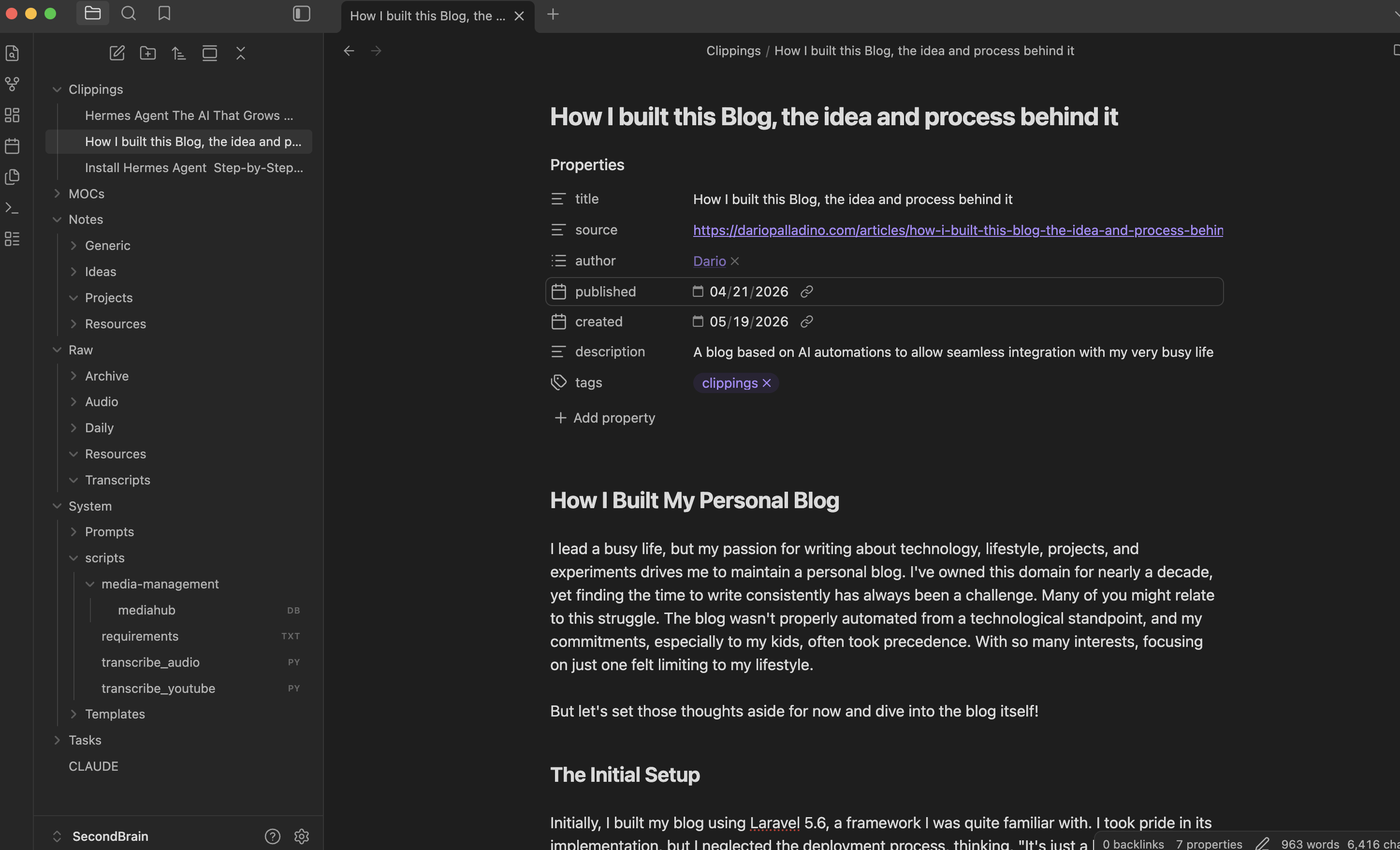
Ok, then my Claude instructions are very simple:
- /Raw folder contains my inputs. Inputs can be audio transcriptions, daily text notes.
- /Clippings folder contains resources from articles from the web, YouTube transcriptions, and more.
- /Notes is the folder for permanent notes extracted from /Raw. It is structured with subfolders to organize notes into Projects related notes, Ideas related notes, Resources related notes such as web articles or YouTube transcriptions notes/summaries, and any other general notes in the root folder.
- /MOCs is the folder to create the linking system to link notes to original raw file, connections between new and existing notes, log of the activities with timestamp and action. Building a graph between notes is the most powerful job in this whole second brain system as it will help retrieve notes or knowledge easier and build the second brain effectively.
- /Tasks folder contains task files per year-month (ex. 2026-05, 2026-06, ...). Whenever a Task is identified in the notes or audio transcriptions, add a task in the respective file. If the file does not yet exist you can create the new one for that year and month of reference. Avoid duplications.
- /System folder contains scripts that you can use as CLI command, Templates you can use to create notes, and Prompts user might use to ask you something. Never modify or add anything to this folder. This is a read-only folder.
So, these are basically some of the instructions but also more explicit commands like:
**Voice pipeline rules**
- Treat /Raw/Audio as raw input only, where audio recordings are stored.
- Treat /Raw/Transcripts as immutable transcript storage where all audio transcriptions are stored.
- When processing a voice note:
  1. Preserve the original meaning.
  2. Extract atomic ideas into /Notes.
     1. Create notes referring to projects into /Notes/Projects.
     2. Extract business concepts or opportunities into /Notes/Ideas.
     3. Create generic notes in the /Notes/Generic.
  3. Add or update links in relevant MOCs.
  4. Move processed transcripts and audio to /Raw/Archive.
- Do not delete transcript files.
- Do not modify .obsidian unless explicitly asked.
- Preserve wiki-links and YAML frontmatter.
- Prefer merging with existing notes over creating duplicates.
Basically, you can define these commands as SKILLS and that's actually what I'm going to do next; move these commands to become SKILLS just like other SKILLS I have already introduced, such as Caveman (don't forget about this cool one!)
You can also use Antigravity to ask questions about your knowledge base, query your MOCs or reorganize your code.
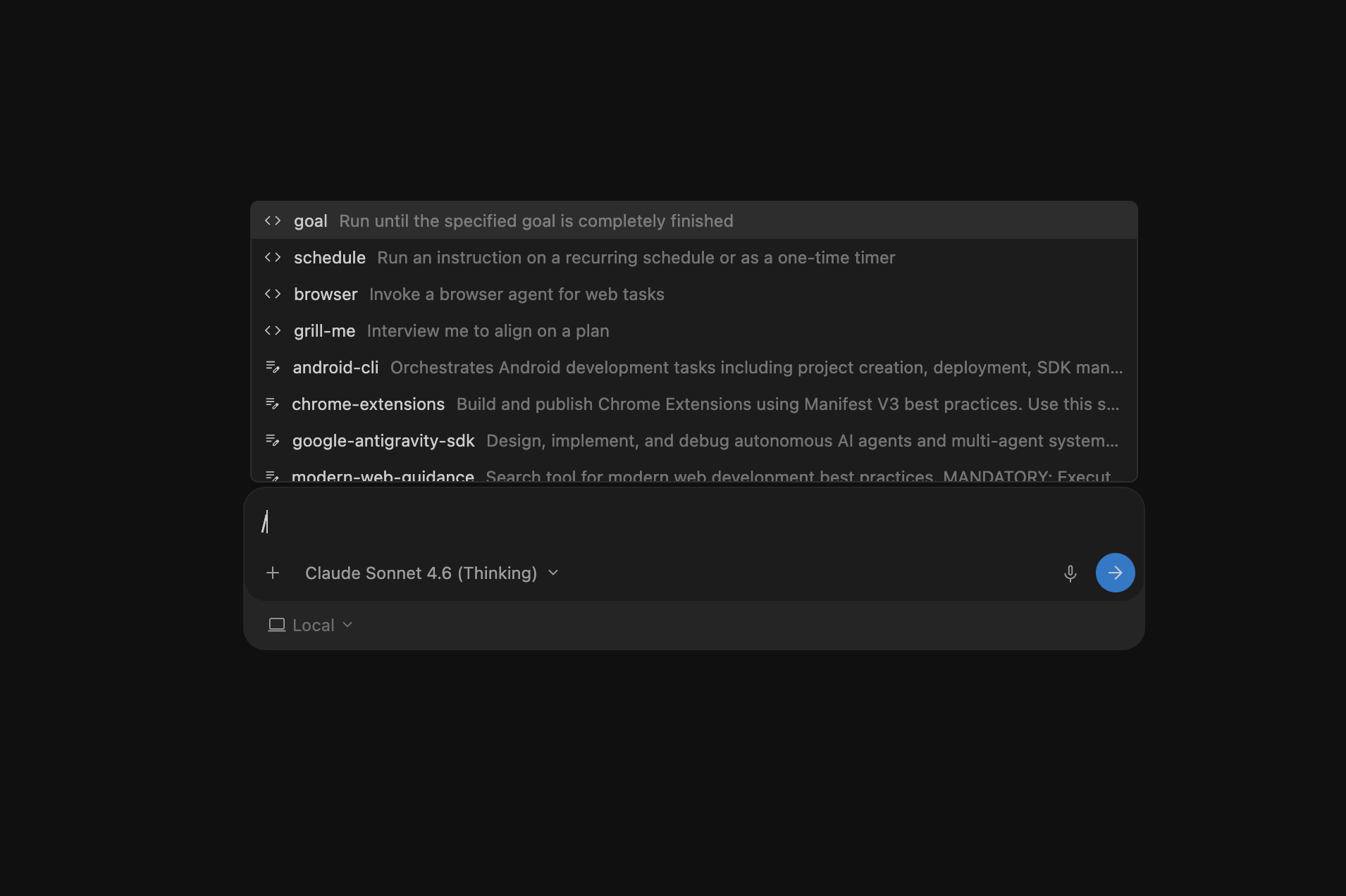
These commands can be defined in both Claude Code and Antigravity.
Then, I thought I wanted to also integrate the Google calendar so that identified tasks would be converted into real events in a calendar or a mobile Tasks app. However, as I already mentioned, at the beginning of this journey I found out that a similar project already kicked off and it is actually done very well and it comes with several hundreds plugins, and it's open-sourced so that anyone can contribute; it's called OpenHuman!
Perhaps, I'll be integrating this project with mine and see what I can get out of these combined.
Go and check it out, perhaps it might spawn some new cool ideas, but don't forget to update your knowledge base, and most of all, query it or it will not matter which one you use, it will become stale and useless on the long-run.
Regardless of other existing projects, some feedbacks made me continue with my small but valuable project and I want to share a couple of prompts I use in Claude Code to kick-off the process of reorganizing this knowledge base or find what I need.
An example is when I start clipping very interesting articles while I browse over internet; these can be either news I found interesting or articles about anything I want to learn or remember for long-term. These articles are automatically added to the Clipping folder with all their metadata.
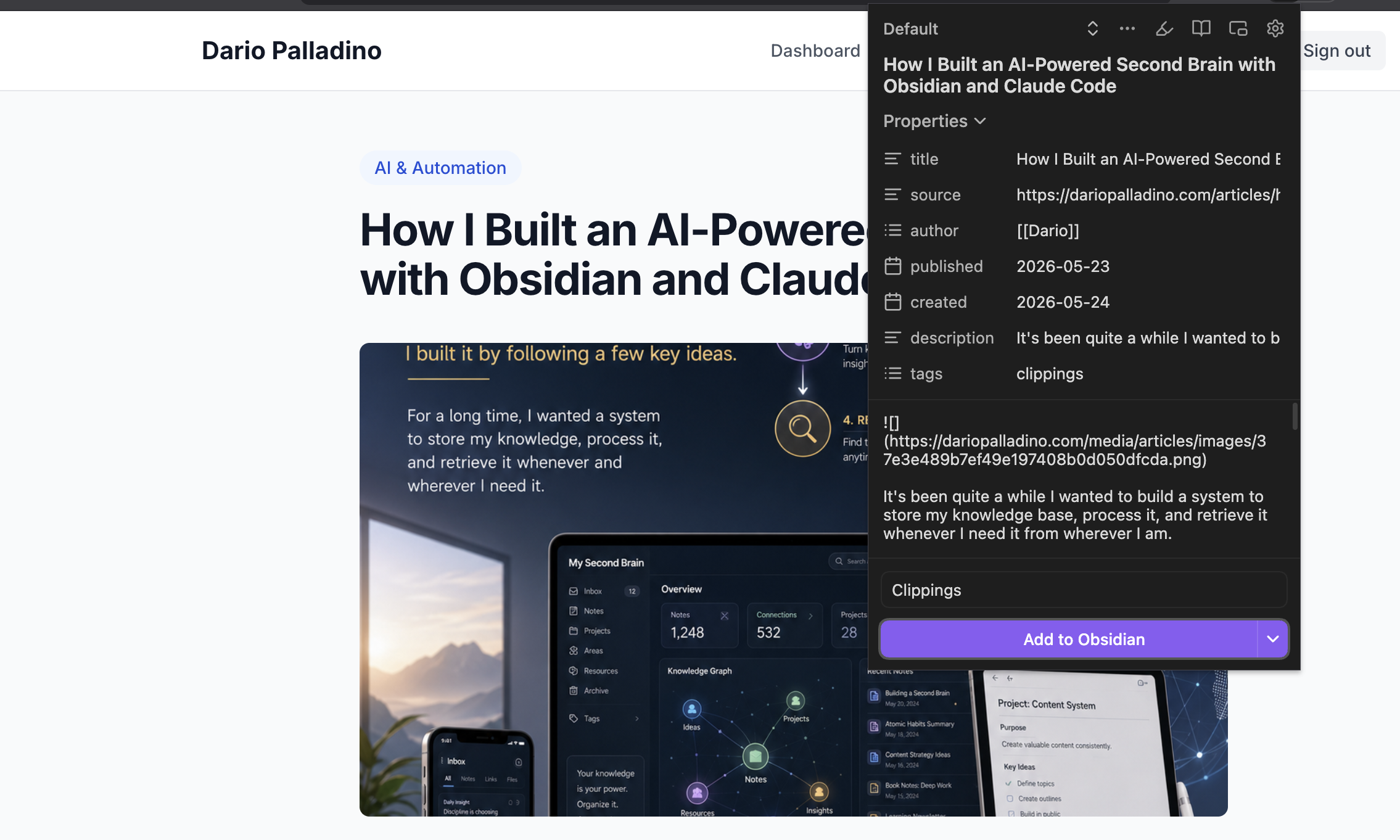
Either same day or the day after I run my session with Claude Code, ideally every evening before bed time is the right moment to spend 10 minutes on re-organizing the whole knowledge base.
Processing Clippings
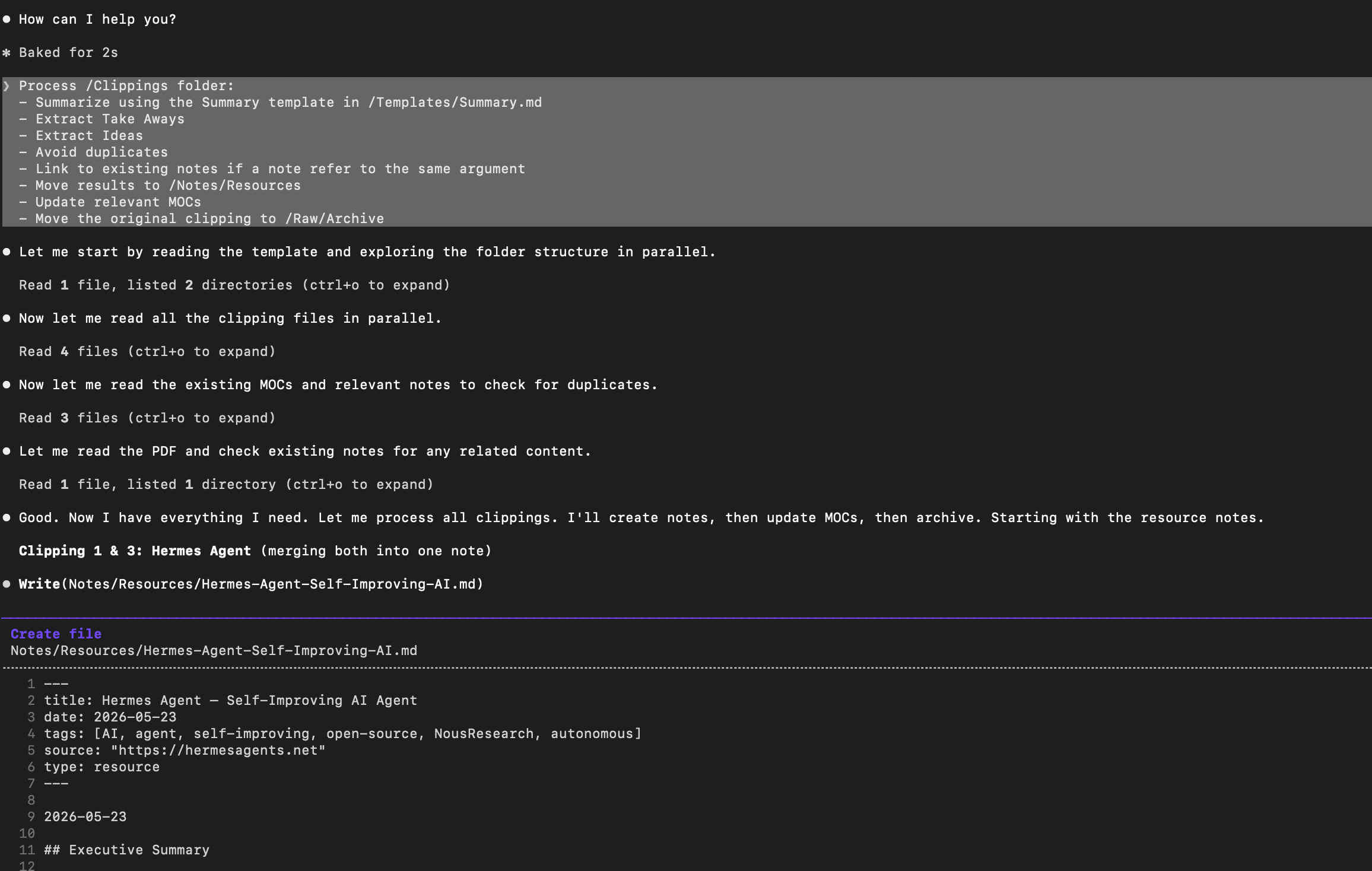
Ideally, this is the prompt I use to activate Claude to work on the Clippings I've been capturing during the day.
**Process /Clippings folder:**
- Summarize using the Summary template in /Templates/Summary.md
- Extract Take Aways
- Extract Ideas
- Avoid duplicates
- Link to existing notes if a note refer to the same argument
- Move results to /Notes/Resources
- Update relevant MOCs
- Move the original clipping to /Raw/Archive
If you have PDF documents you have found valuable and want these to become part of your knowledge base as resource Notes, you can just put them into the Clipping folder. To process these documents, Claude Code might required poppler-utils which is used to extract text from PDF documents.
On macOS the installation is as simple as brew install poppler and add one liner on your instructions in CLAUDE.md file:
**PDF Processing**
Use poppler-utils to process PDF files
Processing Raw
To process the whole Raw folder, I'd use this other prompt in Claude Code.
**Process /Raw/Daily:**
- Create atomic notes using Atomic template available in /Templates/Atomic.md
    - Move results to /Notes/ for atomic notes
- Extract ideas using Idea template available in /Templates/Idea.md
    - Move results to /Notes/Ideas for ideas
- Avoid duplicates
- Link to existing notes when available with similar arguments
- Update relevant MOCs
- Move processed daily files in /Raw/Archive
Re-link through analyzing Notes
Sometimes, it's very useful to analyze all your existing notes to recreate missing connections, or re-link unlinked notes and finally update your Map of Contents.
This one step, that you could run during the weekend, ensures your MOCs are always relevant and your notes are well connected.
**Analyze all notes:**
- Find unlinked notes
- Suggest meaningful connections
- Update MOCs
or using this other prompt:
**Scan /Notes:**
- Expand shallow notes
- Add examples
- Add missing links
- Improve clarity
- Identify Tasks and store in /Tasks
You might be thinking how many tokens and what models am I using when running these prompts.
Without Caveman SKILL, I was spending something around 60k tokens for 10 clippings and a big PDF on a daily run.
By using Caveman SKILL, this has hugely decrease of about 75%!
When it comes to the model, well for now I'm using Claude-Sonnet-4.6 and by following the whole thinking process it seems to me a good cost-benefits ratio, so I'll keep using it.
However, I'm also willing to move to Antigravity and re-write the commands and isntructions for it to work well with this project, but as I said before, I'm also going to integrate with OpenHuman which also provides the Ollama way, and since I have my own SML running in my small GPU with 16GB and about 10k CUDAs, I may also think to make everything really private.
Try this out
You can either use the simple process I explained here, or you perhaps give OpenHuman a shot (I'll definitely do).
In either cases, I hope these quick examples have spawned new ideas and you are as energized as I was when I found out how valuable this whole concept really was, and I'm really happy to share it with you.
If you have anything you want to share or discuss about, you can find me on Linkedin
Written by
Dario
Dario is a senior Data & AI / Cloud Architect and certified in PMP, TOGAF and SAFE with over 20 years of IT experience, specialized in AI platforms and data-driven architectures in the Azure Cloud.